Complete access reviews in under an hour. Not days.
HIPAA requires regular review of who has access to what. In practice, that means someone manually comparing PointClickCare accounts against HR records — facility by facility, account by account. Credric automates the comparison so you can focus on the decisions, not the data gathering.
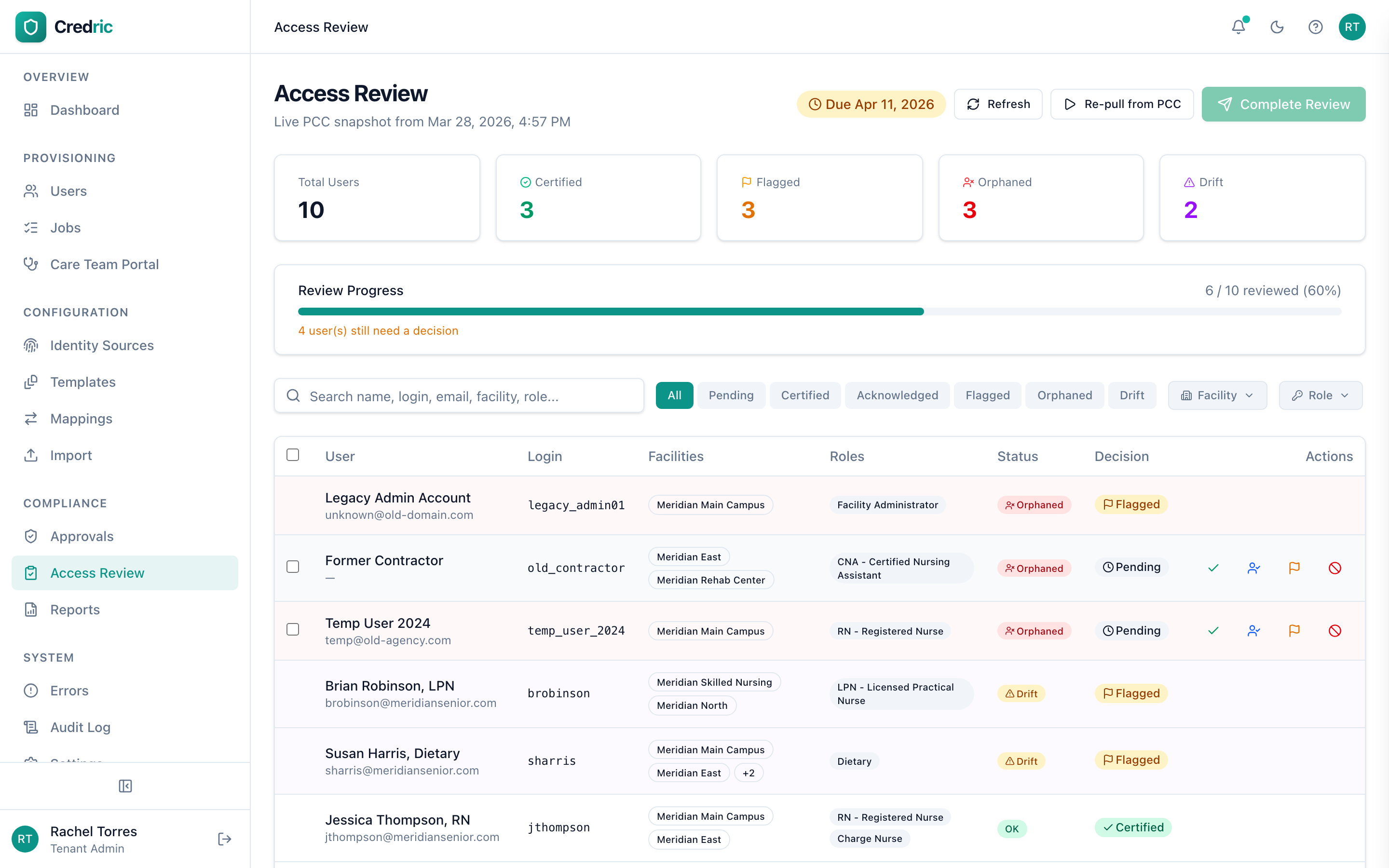
Drift Detection
Automatically compare PointClickCare user accounts against your identity source. Surface accounts where access, roles, or permissions have diverged from what your source of truth says they should be.
Orphan Identification
Find accounts with no matching active employee in your identity source. These are the accounts that survive terminations, transfers, and system migrations — and the ones auditors ask about first.
Bulk Certification
Review flagged accounts and make certification decisions in bulk. Approve continued access, flag for follow-up, or initiate revocation — across all facilities in a single session.
How a review campaign works
Start a review campaign
Credric snapshots your current PointClickCare user accounts and compares them against your identity source.
Drift and orphans are flagged
Accounts where access has diverged or where no matching employee exists are automatically surfaced.
Review and decide
Certify continued access, flag for follow-up, or initiate revocation — individually or in bulk.
Revoke and remediate
Flagged accounts can be disabled directly through Credric. Every decision is logged in the audit trail.
Complete with audit trail
The full review — every decision, every reviewer, every timestamp — is available for compliance reporting.
Built for HIPAA compliance reviews
Credric's access review capabilities directly support key HIPAA Security Rule requirements.
Access Control
Technical safeguards to control who can access ePHI systems.
Access Management
Policies for granting and reviewing access to ePHI.
Activity Review
Regular review of audit logs, access reports, and security incidents.
Common questions about access reviews
How often should we run access reviews?
HIPAA requires regular access reviews but doesn't prescribe a specific interval. Most healthcare organizations run quarterly or semi-annual reviews. Credric supports configurable review frequencies so you can match your compliance requirements.
What is access drift?
Access drift occurs when a user's actual PointClickCare access diverges from what your identity source says it should be. This happens when changes are made directly in the system, when sync errors occur, or when manual provisioning bypasses the normal workflow. Credric detects these discrepancies automatically.
What are orphaned accounts?
Orphaned accounts are PointClickCare user accounts that have no matching active employee in your identity source. They typically result from incomplete offboarding, system migrations, or manual account creation that was never linked to an identity source. These are the accounts auditors look for first.
Continue exploring
Ready to automate
PointClickCare provisioning?
See how Credric can give your IT team back the hours they spend on manual account management — regardless of your infrastructure.